How Smart Thermostats Help You Save on Summer Cooling
Cooling an empty house all afternoon can waste energy without making you any more comfortable. A smart thermostat helps cut back on that waste by changing the temperature around your daily routine and giving you control from your phone. That’s where many smart thermostat savings begin.
You still have to use the device well. It’s not a magic button that drops your bill overnight. But with the right settings, an energy-saving thermostat can help you manage summer cooling without checking the wall every few hours. Rhema Electric installs smart thermostats and other connected home devices for homeowners across Burlington and Northwest Washington.
This guide explains how smart thermostats work, which features matter, and what to check before buying one.
Smart Thermostat Savings at a Glance
- Smart thermostats can change cooling settings around your daily schedule.
- Remote access lets you adjust the temperature when plans change.
- Energy reports may show habits that keep your cooling system running longer.
- The best model depends on your home, wiring, and heating and cooling system.
- Professional setup can help when compatibility or wiring gets tricky.
How Do Smart Thermostats Lower Summer Cooling Costs?
Smart thermostats may lower cooling costs by reducing the time your system runs when you don’t need the same level of cooling. That sounds simple, but many homes lose money through small habits. The thermostat stays at one setting while everyone is at work, away for the weekend, or asleep.
A smart thermostat can handle some of those changes for you. Many models offer schedules, phone controls, geofencing, and reports that show temperature patterns and equipment use. Some also learn your routine over time.
How Do Automated Schedules Reduce Wasted Cooling?
A schedule lets you choose different temperatures for different parts of the day. You may want one setting while the family is home, another during work hours, and a different one at night.
This takes one more task off your plate. You don’t have to remember to adjust the thermostat every morning before rushing out the door. Better still, many models can start cooling the home before you return, so you’re not walking into a hot room just to save a few dollars.
The schedule should match real life, though. A perfect setup on paper can fall apart fast when your work hours, school routine, or weekend plans change.
How Does Remote Control Help You Use Less Energy?
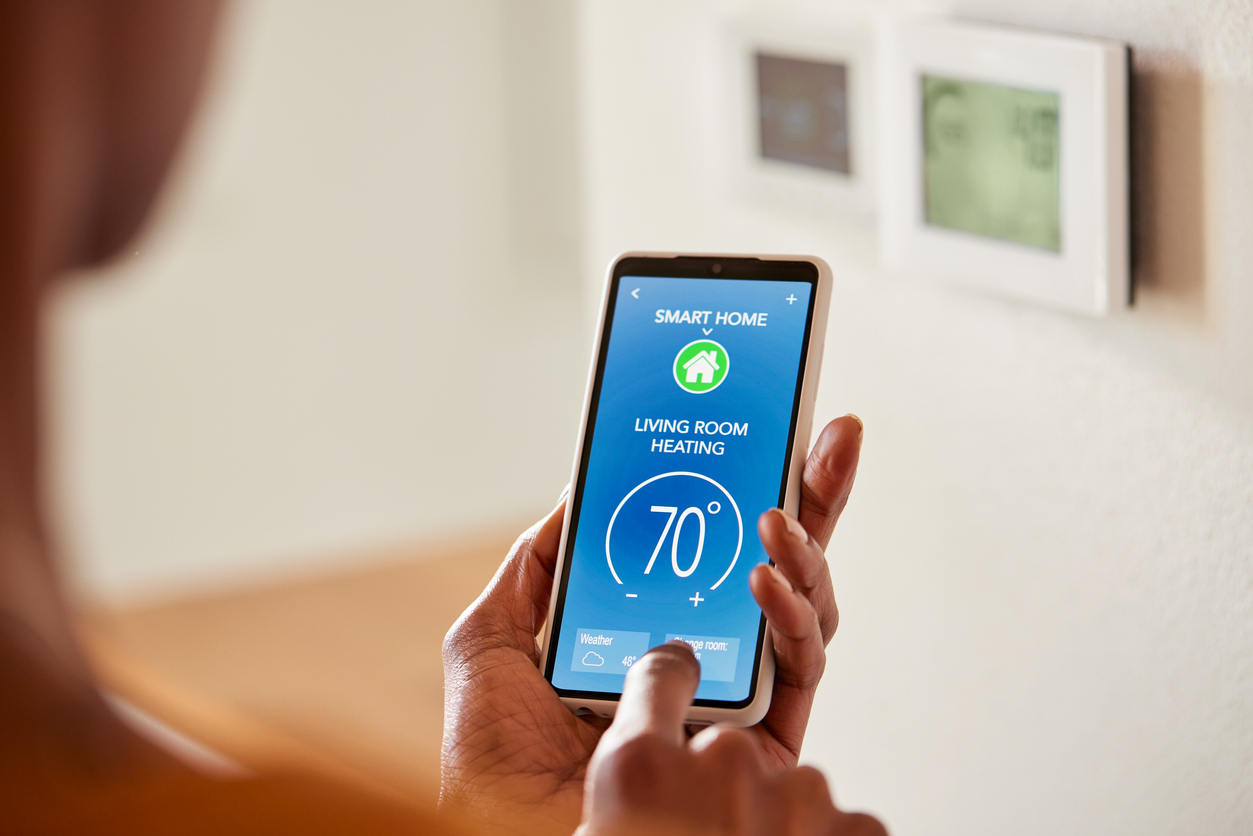
Remote control lets you change the temperature through a phone app when you are away from home. Forgot to adjust the thermostat before leaving for a day trip? You can fix it without turning the car around.
That kind of control also helps when plans shift. Maybe you expected to be home at five, but dinner ran late. Instead of cooling an empty house for three extra hours, you can change the setting from your phone and bring the temperature back down before you return. ENERGY STAR lists remote temperature control as a common smart thermostat feature.
What Can Energy Reports Tell You?
Some smart thermostats show how long your system ran and how your temperature choices changed energy use. The numbers may reveal habits you never noticed.
You might find that the system runs longer on certain days or that a small schedule change cuts hours of extra cooling over a month. Don’t treat every report like a final answer, though. Weather, insulation, open doors, and household routines can all affect what you see.
How Much Can a Smart Thermostat Really Save?
Savings depend on your home, comfort needs, local weather, cooling system, and current thermostat habits. Anyone promising the same result for every house is skipping a big part of the story.
ENERGY STAR says certified smart thermostats save about 8% on heating and cooling bills, or around $50 per year, on average. Some homes may save more, while others may save less.
Your starting habits matter. A household that already adjusts the thermostat carefully may see a smaller change. But if your thermostat stays at one temperature all day, there may be more room to cut waste.
The U.S. Department of Energy says changing thermostat settings by 7°F to 10°F for eight hours a day may save up to 10% a year on heating and cooling. That figure comes from changing temperature habits, not from buying a smart thermostat and leaving every setting untouched.
Cooling is also one of the larger energy uses in many homes. Our team discusses smart thermostats as one way to reduce system runtime without giving up comfort in our guide on what uses the most electricity in your home.
What Are the Best Summer Thermostat Settings?
The best summer thermostat setting is the highest temperature that still feels comfortable for your household. There is no single number that works for everyone, and pretending there is can create a miserable home.
Your ideal setting may depend on:
- Who lives in the home
- Health and comfort needs
- Pets
- Indoor humidity
- Home insulation
- Work and school schedules
- The type of cooling system
The goal is to avoid cooling more than you need while keeping the home comfortable. That balance may take a little testing. Start with a setting that feels reasonable, then make small changes instead of jumping several degrees at once.
Should You Raise the Temperature When Nobody Is Home?
Raising the temperature while the house is empty may reduce unnecessary cooling. A smart thermostat makes this easier because it can return the home to your preferred setting before you walk through the door.
You do not need to cool an empty house the same way you cool it during dinner, family time, or a busy afternoon. That’s where a good schedule earns its keep.
Should You Turn the Cooling System Off Completely?
Turning the cooling system off may not fit every home or every system. A moderate temperature change often gives you more control without letting the indoor temperature climb too far.
The better move is usually to build a schedule around your routine and adjust it as needed. Small changes tend to work better than extreme settings that leave you uncomfortable and tempt you to drop the temperature too low later.
How Can You Build a Schedule That Fits Your Routine?
Start with the parts of your day that happen most often:
- Wake-up time
- Work or school hours
- Evening time at home
- Bedtime
- Weekend routines
Then watch how the home feels for a week. Your first schedule may need changes. That’s normal. A useful setup should fit your life, not force your life around the thermostat.
For more ways to cut energy waste around the home, read Rhema Electric’s guide to energy-saving upgrades and habits.
Which Smart Thermostat Features Are Worth Looking For?
The best features are the ones you will use. A thermostat can come packed with tools, but extra buttons mean very little when they don’t match your routine.
Look for features such as:
- Automated scheduling: Changes the temperature at times you choose
- Remote app control: Lets you adjust settings through a phone or tablet
- Geofencing: Uses phone location to change settings when you leave or return
- Occupancy sensing: May adjust the temperature based on activity in the home
- Energy reports: Shows equipment use and temperature patterns
- Learning features: Builds a schedule around repeated habits
- Maintenance reminders: Sends alerts for filters or system checks when supported
- Smart-home connections: Works with supported home hubs or voice controls
- ENERGY STAR certification: Shows that the model meets tested energy-saving requirements
ENERGY STAR-certified smart thermostats must show energy savings using operating data from real homes. That gives the label more weight than a vague claim printed on a box.
Still, don’t just buy based on the longest feature list. A simple model that fits your system and daily routine may serve you better than one loaded with tools you never open.
Will a Smart Thermostat Work With Your Current System?
Many smart thermostats work with common heating and cooling systems, but you should check compatibility before buying. Skipping that step can turn a simple upgrade into a box you can’t use.
Check the thermostat requirements against your system type and current wiring. Some homes have heat pumps, several zones, multi-stage equipment, or controls made for a specific system. High-performance equipment may also work best with a controller recommended by the equipment maker.
Your Wi-Fi setup matters too. A thermostat that sits too far from the router may lose its connection, which can affect app controls and other online features.
When the wiring looks unclear, stop guessing. A thermostat is small, but a bad match can cause a much bigger headache.
When Is Professional Smart Thermostat Installation the Better Choice?
Professional installation may make sense when the wiring is unclear, the home has a complex system, or you want the thermostat connected with other smart-home devices.
You may want help when:
- The existing wires are hard to identify
- The thermostat does not appear compatible
- Your home has more than one heating or cooling zone
- You use a heat pump or multi-stage system
- You want help setting up the app and schedules
- The thermostat will connect with other smart-home controls
A licensed electrician can check the wiring, install the device, and make sure the controls work as expected. This is not the place for random trial and error. One wrong assumption can waste an afternoon and leave the house without working temperature controls.
At Rhema Electric, we provide residential electrical and smart-home services across Burlington and Western Washington. Our Smart-home work includes connected controls that help homeowners manage comfort, safety, and everyday routines.
Common Questions About Smart Thermostat Savings
Can a Smart Thermostat Save Money if Someone Is Home All Day?
It may still help, but the savings could be smaller because there are fewer long periods when the home is empty. Scheduling, energy reports, and steady temperature control can still help you spot waste and avoid constant manual changes. ENERGY STAR notes that homes occupied all day may see lower savings.
Does a Smart Thermostat Work Without Wi-Fi?
Many models can still control the temperature during a Wi-Fi outage, but online features may stop working. Remote app access, software updates, weather data, and some smart tools may need an internet connection. Check the product details because every model works a little differently.
Do Smart Thermostats Work With Heat Pumps?
Many smart thermostats support heat pumps, but you should confirm compatibility first. Some variable-capacity systems may work best with a thermostat recommended by the equipment manufacturer. Buying first and checking later is a gamble that can cost you time.
Make Summer Cooling Easier to Manage
A smart thermostat can make summer cooling easier through schedules, remote control, energy reports, and automatic changes. But the device cannot do all the work on its own. The settings still need to match your home and the way your family lives.
Choose a model that works with your system, build a realistic schedule, and review your energy reports over time. A few smart changes can do more than one extreme temperature setting that nobody wants to live with.
Get More Control With Smart Thermostat Installation in NW Washington
Ready to make your Northwest Washington home easier to manage? Rhema Electric can install and set up smart thermostats and connected home technology with your comfort, routine, and electrical system in mind.
Call 360-416-8227 or contact Rhema Electric to discuss your smart-home upgrade.
Related Posts